---
title: "How to Activate Two-Factor Authentication in Windows - Telesys Voice and Data Blog"
description: "Two-factor authentication is a great way to protect business assets. Here’s how to use it in the Windows OS."
url: "https://www.telesysonline.com/blog/how-to-activate-two-factor-authentication-in-windows"
date: "2026-06-06T03:36:05+00:00"
language: "en-GB"
---
## Telesys Voice and Data Blog
Telesys Voice and Data has been serving the Dallas/Fort Worth area since 1994, providing IT Support such as technical helpdesk support, computer support, and consulting to small and medium-sized businesses.
[ Categories ](https://www.telesysonline.com/blog/categories "Categories")
[ Tags ](https://www.telesysonline.com/blog/tags "Tags")
[ Categories: All Categories ](https://www.telesysonline.com/javascript:void(0); "Categories")
Search...Suggested keywords
[ x ](https://www.telesysonline.com/javascript:void(0);)
# How to Activate Two-Factor Authentication in Windows
[IT Blog ](https://www.telesysonline.com/blog/categories/it-blog) [Newsletter ](https://www.telesysonline.com/newsletter-content)
[Telesys Voice Data Solutions](https://www.telesysonline.com/blog/blogger/telesys-admin)
Tuesday, 29 October 2024
[ 0 Comments ](https://www.telesysonline.com/blog/how-to-activate-two-factor-authentication-in-windows#comments)
[  ](//www.telesysonline.com/images/easyblog_articles/1977/TipTurnon2FA_203781423_400.jpg "TipTurnon2FA_203781423_400")
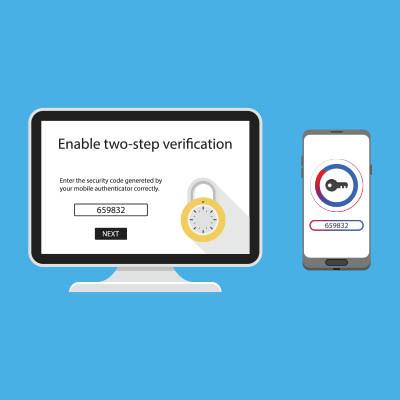
Two-factor authentication has become a must-have for any online-connected account that relies on password protection. The benefits of the technology are pretty straightforward. Instead of just filling out your password for authentication, a user needs to have another method in order to access an account. In this month’s newsletter we thought we would take a look at how to enable 2FA on your Microsoft account, which includes Microsoft 365 apps like Word, Excel, and Outlook.
## Step One: Sign in to Your Microsoft Account
First, you need to sign into your Microsoft Account. Go to **.** Sign in with your Microsoft account credentials.
## Step Two: Go to Security Settings
Next, you’ll go to the account dashboard, click on **Security** at the top of the page. Click on **Advanced security options** to access more security features.
## Step Three: Set Up Two-Step Verification
The next step is to scroll down to the **Two-step verification** section (another name for two-factor authentication). Click **Turn on** under that option. Microsoft will then give you some on-screen instructions to set it up, follow them to set up the two-step verification.
## Step Four: Choose Your Verification Method
Microsoft will give you the choice of using one of three methods. They are:
- **Authentication app** - Use the Microsoft Authenticator app (available on iOS/Android) for quick approvals.
- **Phone number** - Receive codes via text or phone call.
- **Email** - Get a verification code through your email.
## Step Five: Complete Setup
Microsoft will ask you to verify using the method you've chosen (text, app, or email). Once verified, the 2FA will be enabled.
## Step Six: Generate Recovery Codes
Microsoft will provide recovery codes in case you lose access to your phone or email. Save these codes somewhere secure.
## What Happens Next:
Once enabled, when you sign into Windows or Microsoft services, after entering your password, you will be prompted for a second verification (e.g., code sent to your phone or through an authentication app).
Enabling 2FA helps significantly improve your security by requiring an additional step beyond just your password.
[ ](https://www.telesysonline.com/javascript:void(0);) [ ](https://www.telesysonline.com/javascript:void(0);) [ ](https://www.telesysonline.com/javascript:void(0);)
Tags:
[Quick Tips](https://www.telesysonline.com/blog/tags/quick-tips) [Windows](https://www.telesysonline.com/blog/tags/windows) [2FA](https://www.telesysonline.com/blog/tags/2fa)
[ Two-Factor Authentication is a Must Have ](https://www.telesysonline.com/newsletter-content/two-factor-authentication-is-a-must-have)
[ Data Backups are Critical for Modern Businesses ](https://www.telesysonline.com/newsletter-content/data-backups-are-critical-for-modern-businesses)
About the author
[  ](https://www.telesysonline.com/blog/blogger/telesys-admin)
[Telesys Voice Data Solutions](https://www.telesysonline.com/blog/blogger/telesys-admin)
[ ](https://www.telesysonline.com/blog/blogger/telesys-admin)
Author's recent posts
[More posts from author](https://www.telesysonline.com/blog/blogger/telesys-admin)
[ Tuesday, 30 June 2026 Stop Managing Metal, Start Managing People: A Guide to Hybrid IT ](https://www.telesysonline.com/newsletter-content/stop-managing-metal-start-managing-people-a-guide-to-hybrid-it)
[ Saturday, 27 June 2026 Free AI is Not Free: Why Public Tools Are a Security Risk ](https://www.telesysonline.com/newsletter-content/free-ai-is-not-free-why-public-tools-are-a-security-risk)
[ Thursday, 25 June 2026 Phishing is Getting Sophisticated: The New Threats Businesses Face ](https://www.telesysonline.com/newsletter-content/phishing-is-getting-sophisticated-the-new-threats-businesses-face)
Comments
No comments made yet. Be the first to submit a comment
**** Already Registered? [Login Here](https://www.telesysonline.com/home/login-logout?return=aHR0cHM6Ly93d3cudGVsZXN5c29ubGluZS5jb20vYmxvZy9ob3ctdG8tYWN0aXZhdGUtdHdvLWZhY3Rvci1hdXRoZW50aWNhdGlvbi1pbi13aW5kb3dz)
Saturday, 06 June 2026
Subscribe to the blog (Please fill in your email address to subscribe to updates from this post.)
**Captcha Image**
## Schema
```json
{
"@context": "https://schema.org",
"@type": "BreadcrumbList",
"itemListElement": [
{
"@type": "ListItem",
"position": 1,
"name": "Home",
"item": "https://www.telesysonline.com"
},
{
"@type": "ListItem",
"position": 2,
"name": "Blog & News",
"item": "https://www.telesysonline.com/blog"
},
{
"@type": "ListItem",
"position": 3,
"name": "Telesys Voice Data Solutions",
"item": "https://www.telesysonline.com/blog/blogger/telesys-admin"
},
{
"@type": "ListItem",
"position": 4,
"name": "How to Activate Two-Factor Authentication in Windows",
"item": "https://www.telesysonline.com/blog/how-to-activate-two-factor-authentication-in-windows"
}
]
}
```